

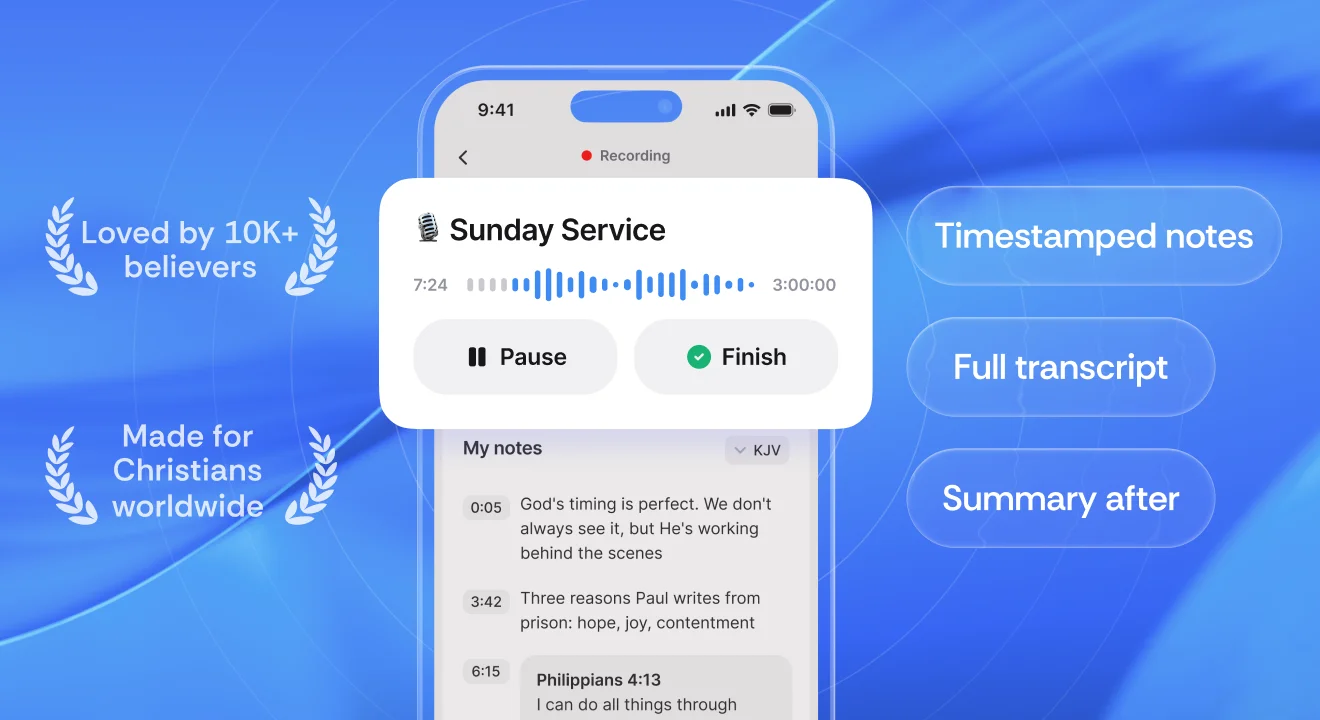
The best app for taking sermon notes in 2026 is Sermon Keeper. It's the only one built to capture the sermon as it happens, recording the audio while you take timestamped notes, with offline Bible verse autocomplete (KJV) and an AI transcript in a single flow. The other six below are the general tools people reach for, and each does a narrower job well: YouVersion for free verse-linked notes, Olive Tree for a serious study library, Pencil Bible for handwriting on the page, Apple Notes for simple typed notes, Bible Note Journal for devotional journaling, and Voice Memos for just recording the audio.
A few years ago, "sermon notes app" meant whatever note-taking tool you happened to open in church. That still works, but there's now one app built specifically for the moment a sermon is preached, and everything else is a general tool you're adapting. The right pick comes down to what you actually do with a sermon: capture it as it happens, study it afterward, journal your response, or just keep the audio.
We organized this guide as a proper roundup: a comparison table you can scan in ten seconds, one clear "best for" per app, and an honest look at where each one fits. Let's start with what separates a great sermon note app from a generic one.
What to look for in a sermon note app
Most note apps can hold text. The ones that shine on Sunday solve the specific tension of being in a service, where you want to be present and listening, not heads-down typing. As you compare, these are the features that matter most:
- Live capture during the service. Can you record the sermon as it's preached, so you're not relying on memory or frantic typing? This is the single biggest dividing line between apps.
- Timestamped notes. When you mark a moment, does the app remember when it happened so you can jump back to that point in the audio later?
- Bible verse autocomplete. Typing "John 3:16" should be instant, with no leaving the app to look it up — the best Bible verse detection apps pull the full text in as you write.
- AI transcription & summary. Does it turn the recording into searchable text with the key points pulled out? If that's new to you, here's how sermon transcription works.
- Works offline. Sanctuaries are notorious dead zones. Recording that works with no signal, plus offline Bible verse lookup (KJV), means you never miss a moment. (And it's worth checking whether recording is OK at your church first.)
- Speed and simplicity in the moment. If setup takes longer than the sermon, you won't use it twice.
Only one app on this list does all of the above. The rest each win a single job. Here's how the seven stack up.
Comparison at a glance
| # | App | Score | Pricing | Platforms | Best for |
|---|---|---|---|---|---|
| 1 | Sermon Keeper | 9.2 | Free 3-day trial | iPhone | Capturing the live sermon |
| 2 | YouVersion | 8.5 | Free | iOS, Android, Web | Free verse-linked notes |
| 3 | Olive Tree | 8.3 | Free + resources | iOS, Android, Mac, Win | A study library with notebooks |
| 4 | Pencil Bible | 8.0 | Free + upgrade | iPhone, iPad | Handwritten notes |
| 5 | Apple Notes | 7.6 | Free | iPhone, iPad, Mac | Simple typed notes |
| 6 | Bible Note Journal | 7.4 | Free + IAP | iPhone | Devotional journaling |
| 7 | Voice Memos | 7.2 | Free | iPhone, iPad, Mac | Just recording the audio |
1. Sermon Keeper★ Winner
Built to capture the whole sermon, not just a few lines.
What we like
- Records the audio, drops timestamped notes, and returns an AI transcript & summary, all in one flow.
- Bible verse autocomplete works offline (KJV) as you type.
- No account needed; your notes sync via your own iCloud, not our servers.
- Scan a Bible page into a SOAP study card, and full English + Spanish support.
What to know
- iPhone only today (it runs scaled on iPad).
- Transcription is cloud-based, so record offline and transcribe when you're back online.
- Free for 3 days, then a subscription.
2. YouVersion
The free Bible everyone already has, with notes tied to the verse.
What we like
- Completely free, and already on hundreds of millions of phones.
- Notes attach to the exact verse and stay with it forever.
- Huge translation library and reading plans built in.
What to know
- Notes are built around verses, not a whole message.
- No audio recording or transcription of the sermon.
- The app can feel busy if all you want is a blank page.
3. Olive Tree
A serious study library with real notebooks that sync everywhere.
What we like
- Free to start, with a deep library of commentaries and study resources.
- Real notebooks with tags and passage links, synced across devices.
- Split-window reading puts a translation and a commentary side by side.
What to know
- Built for study after the fact, not capturing a live sermon.
- No audio recording or transcription.
- The best commentaries and study Bibles are paid add-ons.
4. Pencil Bible
Handwrite and draw right on the Bible page with Apple Pencil.
What we like
- Real handwriting and drawing on Scripture with full Apple Pencil support.
- Jesus' words in red, dark mode, and iCloud sync.
- Read the whole Bible free, and annotate a set number of pages at no cost.
What to know
- Handwriting-first, with no audio recording or transcription.
- Shines on iPad; a smaller experience on iPhone.
- Unlimited journaling needs the paid upgrade.
5. Apple Notes
The blank page that's already on your iPhone.
What we like
- Free, instant, and already installed, with zero learning curve.
- Syncs across your Apple devices through iCloud.
- Perfectly fine for a few quick lines and a verse reference.
What to know
- A general notes app, not built for sermons.
- No recording, transcription, timestamps, or verse autocomplete.
- Sermon notes get lost among grocery lists over time.
6. Bible Note Journal
A quiet space to journal what a passage is teaching you.
What we like
- A warm, prompt-driven space for reflection and prayer.
- Good at building a steady, unhurried journaling rhythm.
- Simple and focused, with nothing to learn.
What to know
- Built for journaling a response, not capturing a sermon.
- No audio recording or transcription.
- A smaller, more niche app than the others here.
7. Voice Memos
The free, one-tap way to just record the audio.
What we like
- Free and already on your phone, with recording one tap away.
- Records with no signal needed and syncs through iCloud.
- Perfect when all you want is the raw audio.
What to know
- You get one long audio file, with no notes, timestamps, or transcript.
- No Bible verse text and nothing built around a sermon.
- Finding one sentence in a 45-minute recording is its own chore.
Which sermon note app is right for you?
The "best" app depends on the one job you most want done:
- You want to capture the sermon live and revisit it later, with recording, timestamped notes, verse autocomplete, and a transcript in one flow. That's Sermon Keeper.
- You want free notes tied to the verse inside the Bible app you already use: YouVersion.
- You take study notes alongside commentaries during the week: Olive Tree.
- You think best by writing by hand on the page: Pencil Bible.
- You want the simplest possible typed notes, already on your phone: Apple Notes.
- Sermon notes are a devotional, journaling habit for you: Bible Note Journal.
- You just want the raw audio and nothing else: Voice Memos.
Still narrowing it down? If price is the deciding factor, compare the best free sermon notes apps; and if you're torn between an app and a notebook, we weighed both up in digital vs paper sermon notes.
For most churchgoers, the deciding factor is staying present in the service without losing the message. That's the gap Sermon Keeper was built to close: record it live, take timestamped notes, autocomplete your verses, and walk away with a transcript and summary you can actually revisit.
Frequently asked questions
Sermon Keeper is the best app for taking sermon notes in 2026. It's purpose-built to capture a sermon live: it records the audio while you add timestamped notes, autocompletes Bible verses as you type, and generates an AI transcript with a summary afterward, all in one flow. You can record even with no signal and transcribe once you're back online.
For free text notes, YouVersion Notes and Apple Notes are both completely free. To simply record the audio for free, Voice Memos is already on your iPhone. If you want to record the sermon and get an AI transcript alongside your notes, Sermon Keeper offers a free 3-day trial.
Yes. Sermon Keeper records the sermon audio while you type or tap to drop timestamped notes, so every note links back to the exact moment it was said. Most other apps do one or the other: record audio, or hold typed notes, but not both tied together.
You can. Voice Memos gives you the raw audio with no notes or transcript, and Apple Notes gives you typed text with no recording. Sermon Keeper combines both, recording the audio, timestamping your notes, and transcribing it, which is the gap those free built-in tools leave.
Recording works offline in any sanctuary, so you never miss a word. AI transcription needs a connection, so Sermon Keeper lets you record now and transcribe once you're back online. Its Bible verse autocomplete also works offline for KJV.
Sermon Keeper is available on iPhone only. Android users who mainly want text notes can use YouVersion Notes.