

The best AI note taker for sermons in 2026 is Sermon Keeper: it records the service, timestamps your notes, and hands you a transcript and summary when it ends. The full list of the best AI sermon transcription apps: Sermon Keeper (best overall for churchgoers), TurboScribe (best free option for existing recordings), Rev (best for publication-quality accuracy), Notta (best for multilingual churches), Castmagic (best for content repurposing), and VEED (best for video sermons). The right choice depends on whether you're recording live, transcribing existing files, or need publication-ready accuracy.
AI sermon transcription has improved dramatically in the last two years. Tools that once mangled "Deuteronomy" and confused "Romans 8" with a phone number now handle biblical vocabulary with surprising accuracy. But not all transcription tools are equal, and sermons are where the differences show.
We tested six tools on real sermon recordings to compare accuracy, speed, biblical vocabulary handling, and value. Here's what we found.
Comparison at a glance
| # | App | Score | Bible-aware | Free tier | Best for |
|---|---|---|---|---|---|
| 1 | Sermon Keeper | 9.2 | Yes | Free trial | Record + transcribe for church |
| 2 | TurboScribe | 8.8 | No | 3 files/day (30 min) | Free file transcription |
| 3 | Rev | 8.2 | Human option | Free trial | Publication accuracy |
| 4 | Notta | 8.0 | No | 120 min/mo | Multilingual churches |
| 5 | Castmagic | 7.8 | No | Free trial | Content repurposing |
| 6 | VEED | 7.5 | No | ~10 min | Video sermons |
1. Sermon Keeper★ Winner
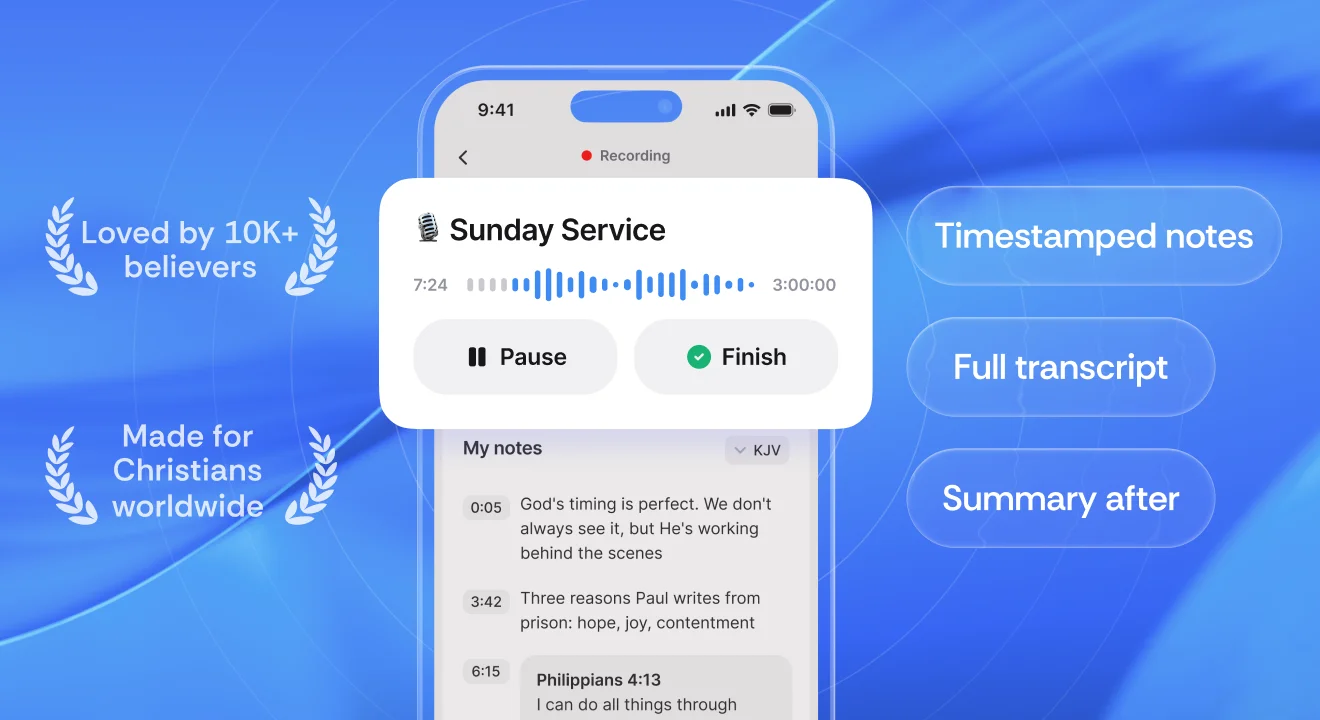
The only app here that records the service and transcribes it, built for church.
What we like
- Record live or upload an audio file, drop timestamped notes, and get an AI transcript & summary in one flow.
- Records up to three hours in one go, long enough for any service.
- Bible verse autocomplete works offline across seven translations.
- If there's no sermon in the recording, it says so instead of inventing a summary.
- No account needed; notes sync via your own iCloud, and audio is deleted after transcription.
What to know
- iPhone only today (it runs scaled on iPad).
- English and Spanish for now.
- Transcription is cloud-based, so record offline and transcribe when you're back online.
2. TurboScribe
The most accurate AI-only tool here, with a genuinely generous free tier.
What we like
- Runs OpenAI's Whisper for around 99.8% accuracy on clear audio.
- Free tier: 3 files a day, up to 30 minutes each.
- Upload MP3/WAV/MP4 or paste a YouTube URL; export TXT/PDF/SRT/DOCX.
What to know
- Scripture references often arrive as plain digits ('Romans 828').
- No sermon summaries and nothing Bible-specific.
- Web only, with no mobile app, and it can't record live.
3. Rev
The only option here with real human transcription for publication-quality text.
What we like
- Human tier hits ~99% accuracy with Scripture and terms verified.
- AI tier is about $11 for a 45-minute sermon; captions included.
- Mobile app can record, and a free trial lets you test it.
What to know
- Human transcription is about $70 for a 45-minute sermon.
- The AI tier holds no sermon-specific advantage over cheaper tools.
- Pay-per-minute adds up fast for weekly use.
4. Notta
Live transcription and translation across dozens of languages.
What we like
- Covers 50+ languages with translation between them.
- AI summaries, speaker labels, and apps on mobile and web.
- The obvious pick for a multilingual congregation.
What to know
- The free tier caps each recording at three minutes, useless for a sermon.
- Nothing Bible-specific, and English accuracy is just average.
- You'll need Pro to transcribe a full service.
5. Castmagic
Turns one sermon recording into blog posts, social clips, and newsletters.
What we like
- One recording becomes show notes, captions, pull quotes, and more.
- Custom templates for the outputs you produce every week.
- Adds YouTube repurposing, speaker labels, and multichannel export.
What to know
- Speech accuracy is good, not exceptional, and not Bible-tuned.
- Pricing is steep for one person ($21–$79/mo, billed annually).
- Browser only, and it can't record on a phone.
6. VEED
A video editor with strong transcription for sermon clips and captions.
What we like
- Transcribes video, generates captions, and clips highlights.
- Exports in the format each platform expects; 125+ languages.
- One tool for the whole sermon-video workflow.
What to know
- Accuracy drops with poor audio or heavy background music.
- Nothing optimized for biblical vocabulary.
- Expensive and overkill for transcription alone ($18–$30/mo).
How to choose the right tool
Six tools, six different jobs. Match the one you pick to what you actually need to walk away with:
- Sermon Keeper if you want to record and transcribe during church in one step, with offline Bible verses in seven translations and a summary waiting afterward. Free to try. Best for individual churchgoers on iPhone.
- TurboScribe if you already have the recordings, as an MP3 or a YouTube link, and want accurate transcription for nothing.
- Rev if the transcript will be published, and you need professional accuracy with theological proofreading.
- Notta if your church holds services in more than one language.
- Castmagic if a media team needs one sermon turned into blog posts, social clips, newsletters and show notes automatically.
- VEED if the job is subtitling sermon videos for YouTube or social media.
Frequently Asked Questions
Sermon Keeper is the best AI note taker for sermons in 2026 if you want to record and transcribe in one place. It combines recording, timestamped notes, AI transcription, Bible verse autocomplete, and sermon summaries in one app built for churchgoers. For existing recordings or files, TurboScribe offers the best accuracy (99.8%) with a generous free tier.
Yes. Sermon Keeper offers a free 3-day trial with full AI transcription and summaries. TurboScribe provides 3 free transcriptions per day (up to 30 minutes each). Notta offers 120 free minutes per month, though a per-recording cap makes it better for clips than full sermons. These free tiers are enough for weekly church attendance.
Use a sermon-specific app if you want Bible verse autocomplete, sermon summaries, and a workflow shaped around the service. Use a general transcription tool if you already have recorded audio files (MP3, YouTube) and just need the raw text. Sermon-specific apps are better for live recording during church; general tools are better for processing existing recordings.
Yes. Tools like TurboScribe and VEED accept YouTube URLs and can transcribe sermon videos directly. Paste the YouTube link, and the tool extracts the audio and converts it to text. This is useful for transcribing your church's online sermon archive.
AI sermon transcription ranges from free to about $20/month for unlimited use. Sermon Keeper starts with a free 3-day trial, then costs $6.99 a month or $64.99 a year. TurboScribe costs $10/month for unlimited transcriptions. Notta Pro costs $8.17/month annually. Professional human transcription costs $1-2 per minute of audio, making a 45-minute sermon cost $45-90.