

The best free sermon notes app for most people is the one already on your phone. Apple Notes or Google Keep handle quick typed notes for nothing; YouVersion is free and links your notes to the exact verse; and if you want to record the whole sermon and get an automatic transcript, Sermon Keeper is the one app built for it, and it's free to try. Below is an honest look at each: what it's genuinely good at, and where "free" comes with a catch.
"Free" covers a lot of ground. Some of these apps are free forever, and some are free up to a limit. That matters, so this guide says plainly which is which. No app is listed as free if it quietly isn't. We've ordered the list by the best genuinely-free option first, with Sermon Keeper last: it's the only one that records and transcribes the whole sermon, and you can try it free.
Comparison at a glance
| # | App | Score | Free to use | Records & transcribes | Best for |
|---|---|---|---|---|---|
| 1 | Apple Notes | 8.8 | Free | No | Fast typed notes on iPhone |
| 2 | YouVersion | 8.6 | Free | No | Notes tied to Bible verses |
| 3 | Google Keep | 8.2 | Free | No | Quick notes across devices |
| 4 | Notion | 7.9 | Free plan | No | A custom system you design |
| 5 | Otter.ai | 7.6 | Free plan (capped) | Transcribes only | Transcribing audio you have |
| 6 | Evernote | 7.0 | Free plan (limited) | No | Folders & tags |
| 7 | Sermon Keeper | 9.2 | Free trial | Yes | Recording the whole sermon |
1. Apple Notes
The blank page that's already on your iPhone, free forever.
What we like
- Free, instant, and already installed, with zero setup.
- Syncs across iPhone, iPad, and Mac through iCloud.
- Handles checklists, quick sketches, and scanned pages too.
What to know
- Text only, with no audio recording or transcription.
- No link between a note and the moment it came from.
- Sermon notes get lost among grocery lists over time.
2. YouVersion
The free Bible everyone already has, with notes tied to the verse.
What we like
- Completely free, and already on hundreds of millions of phones.
- Notes attach to the exact verse and stay with it forever.
- Huge translation library and reading plans built in.
What to know
- Notes are built around verses, not a whole message.
- No audio recording or transcription of the sermon.
- The app can feel busy if all you want is a blank page.
3. Google Keep
Free, fast notes that follow you to any device you sign into.
What we like
- Free and synced to any device you sign into.
- Color-coded cards and shared notes for a small group.
- Great on Android, where Apple Notes isn't an option.
What to know
- Captures text, not audio, and isn't built around Scripture.
- No timestamps, transcription, or verse autocomplete.
- Better for a quick outline than a whole sermon.
4. Notion
Build your own sermon-notes system, free if you like to tinker.
What we like
- Generous free personal plan you can shape any way you think.
- A page per Sunday with fields for passage, speaker, takeaways.
- Everything searchable later, across all your devices.
What to know
- The flexibility is the cost: it takes real setup.
- Leans on an internet connection to sync.
- No audio recording or transcription.
5. Otter.ai
The one genuinely free way here to turn recorded audio into text.
What we like
- A free monthly pool of transcription minutes.
- Enough to transcribe the occasional recorded sermon.
- Speaker labels and a searchable transcript.
What to know
- The free minutes are capped and run out.
- Built for meetings, not sermons or biblical vocabulary.
- Uploads your audio to the cloud, so you need a signal.
6. Evernote
Powerful organization, but the free plan is tight now.
What we like
- Deep organization: tags, a web clipper, search inside images.
- Still capable for a heavy organizer.
- Syncs notes across all your devices.
What to know
- The free plan now caps how many notes and notebooks you keep.
- Frustrating for something you add to every single week.
- No audio recording or transcription of a sermon.
7. Sermon Keeper
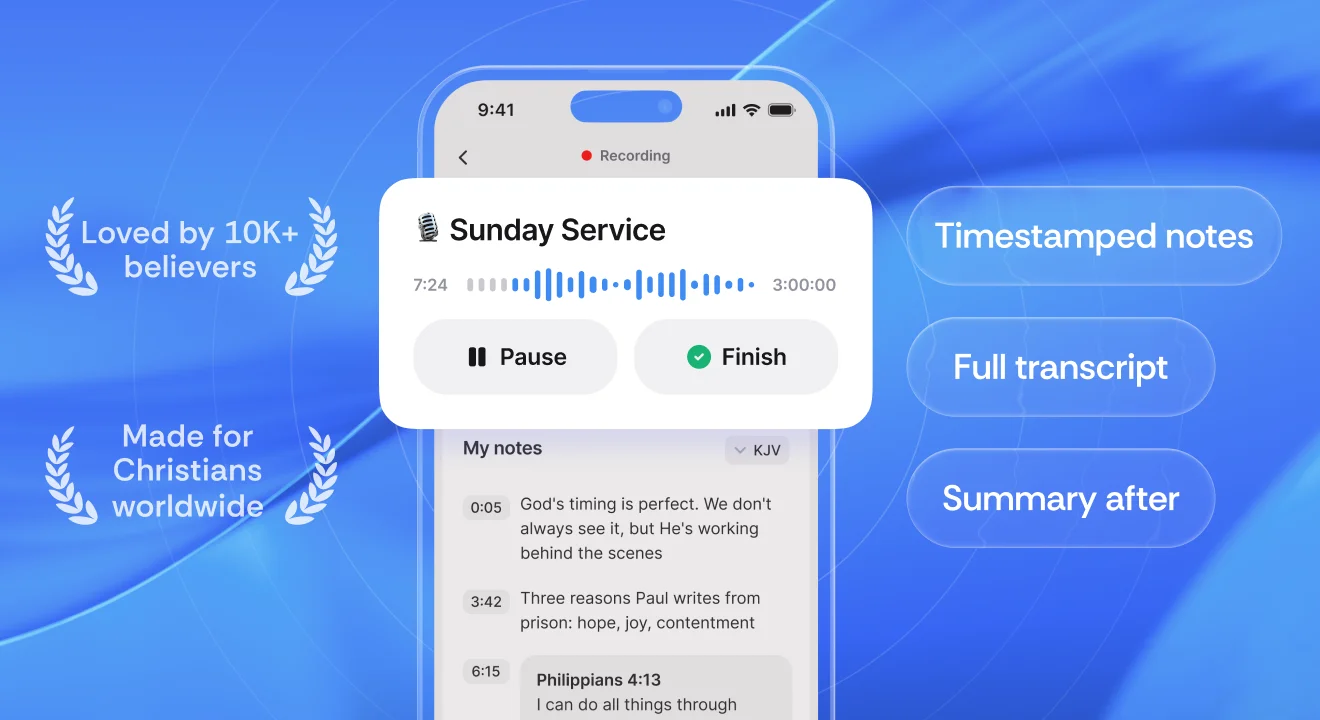
The only one here that records and transcribes the whole sermon, and you can try it free.
What we like
- Records the audio and drops timestamped notes in one tap.
- Bible verse autocomplete as you type, in seven translations that all work with no signal.
- Returns an AI transcript and summary when the service ends.
- No account needed; your notes sync via your own iCloud, not our servers.
What to know
- Free to try with a 3-day trial, then $6.99 a month or $64.99 a year.
- iPhone only today (it runs scaled on iPad).
- Transcription is cloud-based, so record offline and transcribe when you're back online.
So which free app should you use?
It comes down to what you actually want to walk away with:
- Just a few typed points? Apple Notes or Google Keep: free, instant, already on your phone.
- Notes tied to Scripture for daily study? YouVersion, free, paired with a method like SOAP.
- A system you fully control? Notion's free plan, if you enjoy the setup.
- A transcript of audio you already have? Otter.ai's free minutes, cloud and internet permitting.
- The whole sermon, recorded, timestamped, and transcribed? Sermon Keeper's free 3-day trial.
Most people are best served by pairing two: a free notes app for daily use, and Sermon Keeper for the sermons you actually want to keep. If you're weighing paid options too, our full roundup of the best sermon notes apps tests seven of them side by side, and how to take sermon notes walks through the methods themselves.
Frequently asked questions
For most people it's the notes app already on your phone, whether Apple Notes or Google Keep, for quick typed notes, or YouVersion if you want notes tied to Bible verses. If you also want to record the sermon and get an automatic transcript, Sermon Keeper is purpose-built for it and free to try.
Yes. Sermon Keeper is free to try, with no account to create. Recording works offline in the sanctuary and the transcription runs when you're back on a signal. Otter.ai's free tier transcribes audio you already have, with a monthly minute cap.
Yes. Apple Notes is free and already installed. For notes linked to verses, YouVersion is free too. Both are text-only, though. They won't record the audio or turn it into a transcript.
It depends where the notes go. Apple Notes and other on-device tools keep data on your phone; most cloud apps upload it to a server. Sermon Keeper keeps your notes in your own iCloud, not our servers, and the audio it sends for transcription is deleted afterward.
Typed notes in Apple Notes work offline. Cloud transcription tools like Otter need a connection. Sermon Keeper records offline too, so you can capture the sermon with weak or no signal and transcribe once you're back online.