

Here are three free sermon notes templates you can print today: a one-page sheet for the essentials, a two-page version with room for questions, application and prayer, and a page made for kids. They are plain PDFs. No email, no sign-up: click and print.

Rather record it on your phone?
Sermon Keeper records the sermon while you tap short notes, then gives you a transcript and summary. Free 3-day trial.
Download a free sermon notes template (PDF)
The first two are printable sermon notes for adults; the third is made for children. Pick the one that fits how you take notes. Every template has the same simple layout, so you can switch between them without relearning anything.
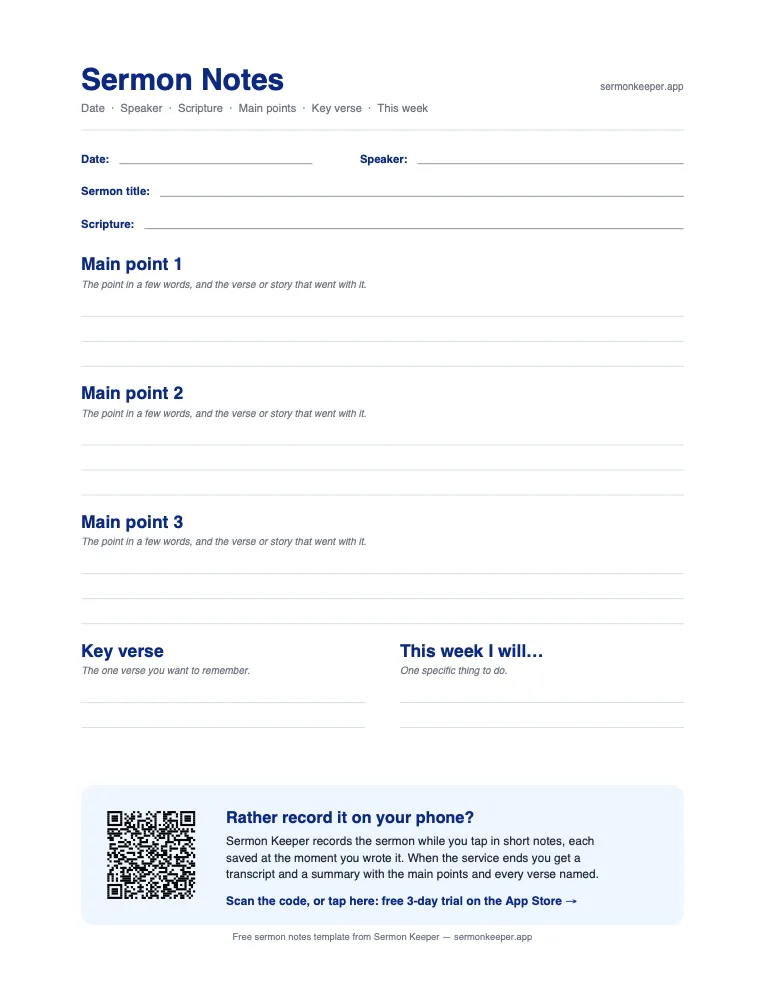
One page: the essentials
Date, speaker, sermon title and Scripture, three main points, a key verse and one thing to do this week. Fits on one sheet.
Download one-page PDF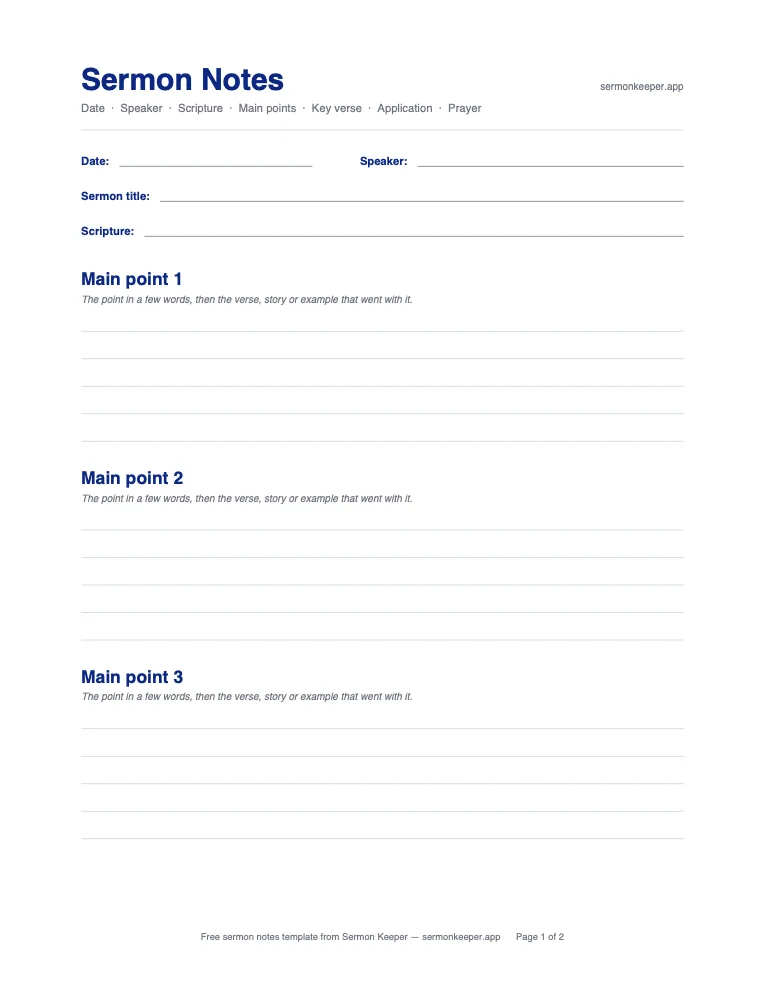
Two pages: with application and prayer
Page one is for the sermon itself. Page two has room for the key verse, your questions, an application and a short prayer.
Download two-page PDF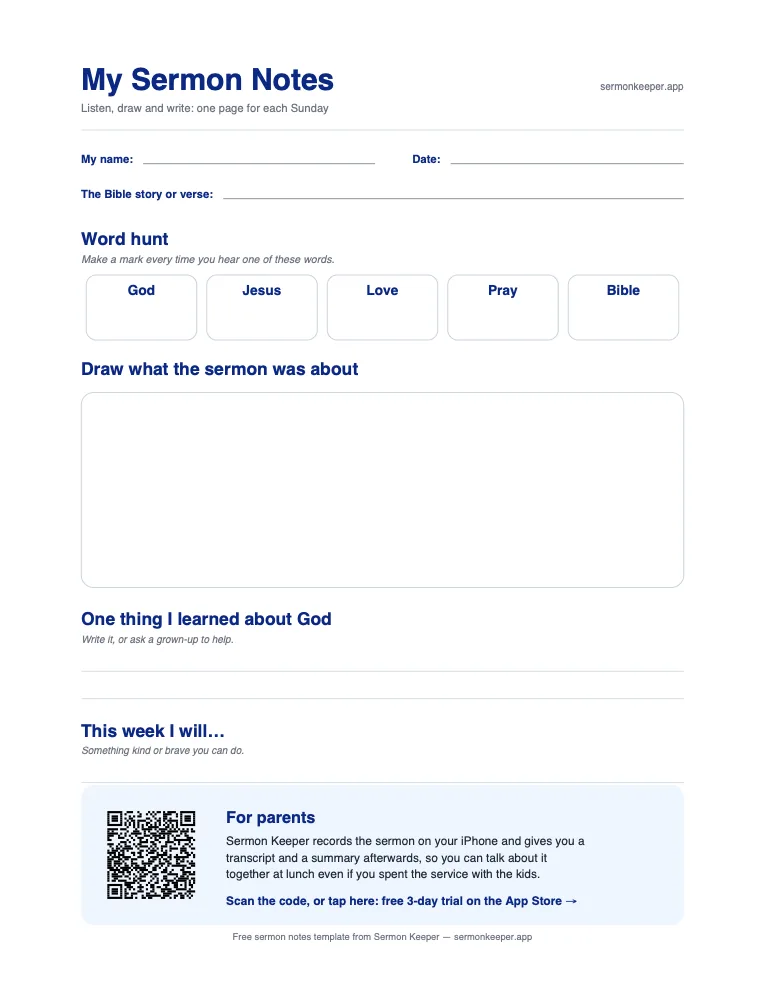
For kids: listen, draw and write
A word hunt to mark while they listen, a big box to draw the story, one thing they learned about God and one thing to do this week.
Download kids' PDFAll three are US Letter and print fine on A4 with "Fit to page". Each one has a small QR code at the bottom that links to our app; you can ignore it if you only want paper.
What's on the template, and why
A good sermon notes template (or church notes template, as many churches call it) is short. If it asks too much, you spend the sermon filling boxes instead of listening. Ours keeps only the parts you'll use later:
- Date, speaker and title. Months from now, this is how you'll find the sermon again, or look up the recording on your church's website.
- Scripture. The passage the sermon is built on. Write the reference first, before the pastor starts, if it's in the bulletin or on the screen.
- Three main points. Most sermons have two to four. A few words per point is plenty, plus the verse or story that went with it.
- Key verse. The one verse you want to keep. Writing it out in full is the first step to remembering it.
- Questions (two-page version). Anything you didn't follow or want to look up. These are often the most useful lines on the page.
- Application. One specific thing to do this week. "Be more patient" is hard to act on; "Don't check my phone at dinner on Tuesday" is easy.
- Prayer (two-page version). A sentence or two that turns the message into a conversation with God.
How to use a sermon notes template
- Before the service: print a few and keep them in your Bible or bag. Fill in the date and, if you know it, the Scripture.
- During the sermon: listen first and write second. Jot a few words when the pastor moves to a new point. Leave application and prayer empty for now.
- After the service: take five minutes, in the car or over lunch, to fill in the key verse and the one thing you'll do this week. This short review is what makes the sermon stick, as we explain in how to remember sermons.
- During the week: reread the page once. Did you do the application? Our guide on how to apply a sermon has more ideas if you get stuck.
If you want to go deeper than the outline, the five note-taking methods in how to take sermon notes all work with these pages, and they include two filled-in examples you can copy. For your own Bible reading during the week, the SOAP Bible study method has its own free printable template.
Turn it into a sermon notes journal
If you'd like all your notes in one place, make the template into a sermon notes journal. Print a stack of the two-page version, punch holes and keep them in a binder, or take them to a print shop to bind. Add a few blank pages at the front for a running list of key verses. A year of Sundays is about 52 sheets, and flipping back through them is one of the best ways to see what you've learned.
Using the kids' sermon notes page
The kids' page is made to keep children listening rather than just busy. The word hunt gives them something to do with their ears: a mark every time they hear "God", "Jesus", "love", "pray" or "Bible". The drawing box lets non-readers take part, and the last two lines are best filled in together after church. Ask, "What did you learn about God today?" and write down their answer in their words, not yours.
Kids' ministry leaders and Sunday school teachers are welcome to print a stack for their class.
Prefer your phone?
Paper is great if writing helps you focus. If you'd rather keep your eyes on the pastor, you can let your phone do the capturing instead. Sermon Keeper records the sermon while you tap in short notes, each saved at the moment you wrote it. After the service you get a transcript and a summary with the main points and every Bible passage the pastor named, which is the same outline this template asks for, filled in for you. Our guide to recording a sermon on your iPhone walks through the setup.
Frequently asked questions
Yes. All three templates are free PDFs. There is no email sign-up and nothing to buy. Click the button and the file downloads.
They are US Letter (8.5 by 11 inches). They also print on A4: choose "Fit to page" or "Scale to fit" in your printer settings.
The PDFs are made for printing, but you can write on them digitally too. On an iPad or iPhone, open the PDF in the Files app and use Markup to write with your finger or Apple Pencil.
Yes. Print as many as you like for your church, small group, family or classroom. Please don't sell them.
Nothing, really. Some churches say sermon notes, others say church notes or message notes. Either way it's the page where you write the main points, the verses and what you want to remember from Sunday's message.
If you have never taken notes in church, start with the one-page template: it fits on a single sheet and asks only for the essentials. Move to the two-page version once you want room for questions, application and prayer. The kids' page is for children who can write a few words; younger ones can just draw.
